


gradient vector gradient vector

SEO AI Prompt Cheatsheet

Copy-paste prompts for SEO research, filled with your keyword and tailored to the AI model you use. Pick your model, enter a topic, and grab the prompts you need.

Tailor prompts for

Structured XML framing and explicit step-by-step reasoning.

Keyword research

Long-tail keyword expansion

Turn one seed keyword into a grouped list of long-tail variations.

You are a senior SEO strategist. Work through the task carefully before you answer.

<task>
Generate 30 long-tail keyword and question variations around the seed topic "[your keyword]". Group them by search intent (informational, commercial, transactional, navigational). For each keyword, note the likely intent and the content format that best fits it (e.g. how-to, listicle, comparison, landing page).
</task>

Note any assumptions in a single line first, then give your answer with clear headings and a markdown table wherever it makes the result easier to scan.

Topic cluster / pillar map

Map a pillar page and its supporting cluster posts.

You are a senior SEO strategist. Work through the task carefully before you answer.

<task>
Build a topic cluster for "[your keyword]". Propose one pillar page plus 8–12 supporting cluster posts that link to it. For each, give a working title, the primary query it targets, the search intent, and the unique angle. Present it as a table.
</task>

Note any assumptions in a single line first, then give your answer with clear headings and a markdown table wherever it makes the result easier to scan.

Search intent & SERP

Search intent breakdown

Diagnose what searchers actually want and what a page must cover.

You are a senior SEO strategist. Work through the task carefully before you answer.

<task>
Analyze the search intent behind the query "[your keyword]". Identify the dominant intent and any secondary intents, the content types currently ranking, the questions a searcher expects answered, and the must-have sections a page needs to satisfy that intent and rank.
</task>

Note any assumptions in a single line first, then give your answer with clear headings and a markdown table wherever it makes the result easier to scan.

SERP feature targeting

Find which SERP features to win and how to structure for them.

You are a senior SEO strategist. Work through the task carefully before you answer.

<task>
For the query "[your keyword]", identify which SERP features are likely present (featured snippet, People Also Ask, image pack, video, local pack, sitelinks). For each one present, explain how to structure the page and format the content to win it.
</task>

Note any assumptions in a single line first, then give your answer with clear headings and a markdown table wherever it makes the result easier to scan.

Content briefs

Full content brief

A writer-ready brief: outline, keywords, entities, and links.

You are a senior SEO strategist. Work through the task carefully before you answer.

<task>
Write a complete SEO content brief for an article targeting "[your keyword]" aimed at [your audience]. Include: the primary keyword, 5–8 secondary keywords, the search intent, a suggested H2/H3 outline, a target word-count range, key entities and terms to mention, and internal and external linking suggestions.
</task>

Note any assumptions in a single line first, then give your answer with clear headings and a markdown table wherever it makes the result easier to scan.

Competitive outline

An outline that covers every competitor subtopic plus a fresh angle.

You are a senior SEO strategist. Work through the task carefully before you answer.

<task>
Create a comprehensive article outline for "[your keyword]". Cover every subtopic the top-ranking pages cover, then add one unique angle or section they all miss so the piece can out-rank them. For each section, add a one-line note on what to include.
</task>

Note any assumptions in a single line first, then give your answer with clear headings and a markdown table wherever it makes the result easier to scan.

Competitor analysis

Content gap analysis

Spot subtopics competitors rank for that you don't cover.

You are a senior SEO strategist. Work through the task carefully before you answer.

<task>
Compare [your brand] against the sites ranking on page one for "[your keyword]". Identify content gaps — subtopics, questions, and formats competitors cover that [your brand] does not. Prioritize the gaps by opportunity (search demand vs. effort) and recommend what to publish first.
</task>

Note any assumptions in a single line first, then give your answer with clear headings and a markdown table wherever it makes the result easier to scan.
On-page & metadata

Meta titles & descriptions

Five compelling, length-safe title and description pairs.

You are a senior SEO strategist. Work through the task carefully before you answer.

<task>
Write 5 options for an SEO meta title (under 60 characters) and meta description (under 155 characters) for a page targeting "[your keyword]". Make each one compelling and click-worthy, include the keyword naturally, and avoid keyword stuffing. Show the character count next to each.
</task>

Note any assumptions in a single line first, then give your answer with clear headings and a markdown table wherever it makes the result easier to scan.

FAQ / People Also Ask

Eight FAQ Q&As ready for FAQ schema markup.

You are a senior SEO strategist. Work through the task carefully before you answer.

<task>
Generate 8 frequently asked questions and concise, accurate answers about "[your keyword]", modeled on the kind of questions that appear in Google's People Also Ask. Keep each answer to 2–3 sentences and format them so they're ready to drop into FAQ schema.
</task>

Note any assumptions in a single line first, then give your answer with clear headings and a markdown table wherever it makes the result easier to scan.

Optimize & refresh

On-page audit of existing content

Audit a page you paste in and get prioritized fixes.

You are a senior SEO strategist. Work through the task carefully before you answer.

<task>
I will paste an existing article that targets "[your keyword]". Audit it for on-page SEO and return a prioritized list of improvements covering: title and headings, keyword and entity coverage, search-intent match, readability, internal linking, and any thin or missing sections. Then rewrite the title tag and first paragraph as an example.

Article:
"""
[paste your article here]
"""
</task>

Note any assumptions in a single line first, then give your answer with clear headings and a markdown table wherever it makes the result easier to scan.

Internal linking opportunities

Suggest internal links for a new page on your site.

You are a senior SEO strategist. Work through the task carefully before you answer.

<task>
Suggest internal linking opportunities for a new page about "[your keyword]" on [your brand]'s website. Recommend which existing pages should link to it (with anchor text ideas) and which pages the new page should link out to, and explain the topical reasoning for each.
</task>

Note any assumptions in a single line first, then give your answer with clear headings and a markdown table wherever it makes the result easier to scan.

Workflow loops

Batch keyword loop

Process a whole list of keywords in one pass, one row each.

You are a senior SEO strategist. Work through the task carefully before you answer.

<task>
Here is a list of seed keywords. For EACH keyword, repeat the same analysis and output one table row with: the keyword, its dominant search intent, the top 3 long-tail variations, and the best content format. Work through every keyword in the list before you stop — do not summarize or skip any.

Keywords:
"""
[paste one keyword per line]
"""
</task>

Note any assumptions in a single line first, then give your answer with clear headings and a markdown table wherever it makes the result easier to scan.

Iterative outline refinement

Draft, critique, and rewrite an outline over several passes.

You are a senior SEO strategist. Work through the task carefully before you answer.

<task>
Draft an article outline for "[your keyword]". Then run this loop 3 times: (1) critique the current outline against search intent and competitor coverage, (2) identify the single weakest section, (3) rewrite that section. Show each iteration's critique and the improved outline, then present the final version.
</task>

Note any assumptions in a single line first, then give your answer with clear headings and a markdown table wherever it makes the result easier to scan.

Expand-until-30 topic loop

Keep expanding subtopics until you hit a target count.

You are a senior SEO strategist. Work through the task carefully before you answer.

<task>
Start with the pillar topic "[your keyword]". Generate 5 subtopics. Then, for each subtopic, generate 3 more specific article ideas. Keep expanding this way until you have at least 30 total article ideas, then stop and present them as a nested list grouped by subtopic, each with its target query.
</task>

Note any assumptions in a single line first, then give your answer with clear headings and a markdown table wherever it makes the result easier to scan.

Self-checking metadata loop

Loop a meta description until it passes every rule.

You are a senior SEO strategist. Work through the task carefully before you answer.

<task>
Write a meta description for a page targeting "[your keyword]". Then check it against these rules: under 155 characters, includes the keyword naturally, contains a clear call to action, and reads compellingly. If it fails any rule, rewrite it and re-check. Loop until all rules pass, then output the final description and the passing checklist.
</task>

Note any assumptions in a single line first, then give your answer with clear headings and a markdown table wherever it makes the result easier to scan.

Reference

How to prompt each frontier model

The same SEO task lands differently depending on the model. This is what the generator adjusts for you — and a quick cheatsheet if you're writing prompts by hand.

Claude

Anthropic
How to phrase
Wrap the task and any pasted content in XML tags (<task>, <article>). Ask it to think first, then answer.
Best for
Long, structured documents; following multi-part instructions precisely; careful editing.
Formatting
Request explicit headings and markdown tables. Tell it to state assumptions up front.

ChatGPT

OpenAI
How to phrase
Open with a role (“Act as a senior SEO strategist”) and ask for step-by-step reasoning.
Best for
Fast ideation, versatile formatting, and browsing for live data on supported plans.
Formatting
Ask for tables or numbered lists; tell it to browse when you need current SERP data.

Gemini

Google
How to phrase
Tell it to use Google Search to ground the answer in the live results for your queries.
Best for
Native Google Search grounding, current results, and a large context window.
Formatting
Ask for a table with inline source citations.

Perplexity

Perplexity
How to phrase
Phrase it as a research request and demand current, cited sources.
Best for
Always cites sources; strong for SERP and competitor research with fresh data.
Formatting
Ask for concise, scannable output with citations; use Focus modes to set scope.

Grok

xAI
How to phrase
Ask directly and tell it to pull live data from the web and X.
Best for
Real-time results from X and the web; current, candid takes on a topic.
Formatting
Ask for a concise table and have it cite the posts or pages it used.

Understand

Why prompts beat a blank box

An AI chat is only as good as the prompt you give it. Asking “help me with SEO” gets you generic filler; a well-scoped prompt — with the intent, the deliverable, and the format spelled out — gets you a usable keyword map or content brief in seconds. These snippets package that structure so you don't have to rewrite it every time.

Models differ, too. Perplexity, Gemini, and Grok can pull live results, so their prompts ask for current, cited data; Claude responds well to explicit structure; ChatGPT likes a role and a step-by-step nudge. Treat the output as a fast first draft — always validate volumes and rankings against a real SEO tool before you act on them.

FAQ

Frequently asked questions

What does this tool do?

It gives marketers a library of ready-to-paste AI prompts for SEO research — keyword expansion, search-intent analysis, content briefs, competitor gap analysis, metadata, and on-page audits. Type your keyword and the prompts fill in automatically, then copy the ones you need.

Why does it ask which AI model I'm using?

The same SEO task works best when it's phrased for the model you're using. Pick Claude, ChatGPT, Gemini, Perplexity, or Grok and every prompt is re-framed to play to that model's strengths — Claude gets structured XML framing and step-by-step reasoning, ChatGPT gets role priming and a nudge to browse, Gemini leans on Google Search grounding, Perplexity is told to cite current sources, and Grok is told to pull live data from X and the web.

What does the “Open in…” button do?

It copies the prompt to your clipboard and opens the model you picked in your browser. Claude, ChatGPT, Perplexity, and Grok open with the prompt already filled in; Gemini doesn't support prefilling from a link, so the button opens Gemini for you to paste. You'll need to be signed in to whichever tool you use.

Do I need an API key or paid plan?

No. The tool only generates the prompt text — everything runs in your browser and nothing is uploaded. You paste the prompt into whichever AI chat you already use (free or paid) to get the answer.

Are the prompts customized to my topic?

Yes. Whatever you type into the keyword, brand, and audience fields is templated into every prompt. Leave a field blank and it keeps a bracketed placeholder like “[your keyword]” so you can fill it in later.

Will AI-generated SEO research be accurate?

AI is a fast first-draft for research, not a source of truth. Models can invent search volumes or rankings, so the prompts for Gemini, Perplexity, and Grok ask the model to ground answers in live search results and cite sources. Always validate keyword data and rankings against a real SEO tool before acting on it.

Tools

More marketing tools

Tools and content carefully crafted by Hire Digital especially for you

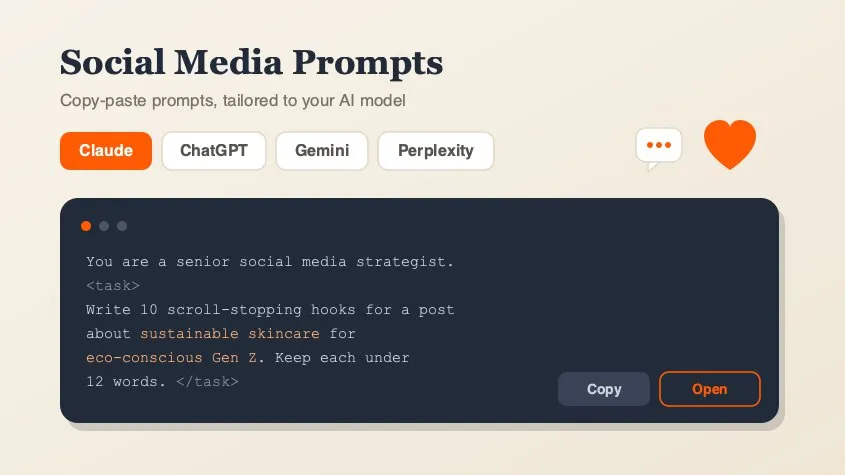
Social Media Marketing Prompt Generator

Marketing

Social Media Marketing Prompt Generator

A free library of copy-paste AI prompts for social media marketing — post ideas, hooks, captions, hashtags, platform playbooks, content calendars, ad copy, analytics, and workflow loops. Tailored for Claude, ChatGPT, Gemini, Perplexity, or Grok and filled with your topic. Open any prompt in your AI tool in one click.

Rich Results Preview & Schema Validator

SEO

Rich Results Preview & Schema Validator

Paste JSON-LD or page HTML and see live SERP rich-result previews for Article, Product, FAQ, Recipe, Event, Video, JobPosting, and more — with full Schema.org validation.

llms.txt Generator

SEO

llms.txt Generator

Generate an llms.txt file for your site — the Markdown index that tells ChatGPT, Claude, and Perplexity what your pages are. Crawls your sitemap and builds a clean index from your real page metadata.

QR Code Generator

Design

QR Code Generator

Generate clean, scannable SVG QR codes from any URL or text. Add a logo, customize colors, eyes, and module shape, then download as SVG or PNG.

Image Compressor

Marketing

Image Compressor

Compress and optimize JPG, PNG, and WebP images right in your browser using MozJPEG, libwebp, and OxiPNG. Reduce image file size without losing quality — no upload, no server.

Background Remover

Design

Background Remover

Remove backgrounds from photos using an on-device AI model. Drop in a JPG, PNG, or WebP and get a transparent cutout in seconds. Nothing is uploaded.

PDF Compressor

Marketing

PDF Compressor

Compress and optimize PDFs in your browser by recompressing embedded images with MozJPEG. Reduce PDF file size for scans, presentations, and image-heavy documents. Files never leave your device.

PDF Merger

Marketing

PDF Merger

Merge and combine multiple PDF files into one document, right in your browser. Reorder files before merging — lossless quality, no upload, no signup, no watermarks.