



CSS Carousel Generator
Settings
Heads up: the track scroll-snaps in every modern browser. The generated arrows (::scroll-button) and dots (::scroll-marker) render in Chromium browsers from version 135 — Chrome, Edge, Brave, and Opera. Safari and Firefox don't support them yet, so there the carousel still swipes and snaps cleanly. See the browser-support section below.
Preview
CSS
/* Track — a flex row that scroll-snaps. Works in every browser. */
.cc-carousel {
  display: flex;
  gap: 16px;
  overflow-x: auto;
  scroll-snap-type: x mandatory;
  scroll-behavior: smooth;
  list-style: none;
  margin: 0;
  padding: 0;
  scrollbar-width: none;
  anchor-name: --cc;

  /* Auto-generate a dot per slide, placed after the track */
  scroll-marker-group: after;
}
.cc-carousel::-webkit-scrollbar {
  display: none;
}

.cc-slide {
  flex: 0 0 80%;
  scroll-snap-align: center;
  border-radius: 16px;
  min-height: 260px;
  display: flex;
  align-items: center;
  justify-content: center;
}

/* Dots — generated, no markup. Chromium 135+ */
.cc-carousel::scroll-marker-group {
  display: flex;
  justify-content: center;
  gap: 8px;
  padding-top: 16px;
}
.cc-slide::scroll-marker {
  content: " ";
  display: inline-block;
  width: 9px;
  height: 9px;
  border-radius: 50%;
  background: color-mix(in srgb, #ff5b04 28%, transparent);
  cursor: pointer;
  transition: background 0.2s;
}
.cc-slide::scroll-marker:target-current {
  background: #ff5b04;
}

/* Prev / next — generated, no markup. Chromium 135+ */
/* anchor() pins each button to the track's edges (overlaid inside). */
.cc-carousel::scroll-button(left),
.cc-carousel::scroll-button(right) {
  position: absolute;
  position-anchor: --cc;
  top: anchor(center);
  transform: translateY(-50%);
  z-index: 2;
  width: 44px;
  height: 44px;
  display: flex;
  align-items: center;
  justify-content: center;
  padding: 0;
  border: none;
  border-radius: 50%;
  background: #fff;
  box-shadow: 0 2px 12px rgba(0, 0, 0, 0.18);
  color: #ff5b04;
  font-size: 22px;
  line-height: 1;
  cursor: pointer;
}
.cc-carousel::scroll-button(left) {
  left: calc(anchor(left) + 10px);
  content: "\2039"; /* ‹ */
}
.cc-carousel::scroll-button(right) {
  left: calc(anchor(right) - 54px);
  content: "\203A"; /* › */
}
.cc-carousel::scroll-button(*):disabled {
  opacity: 0;
  pointer-events: none;
}
HTML
(dots & arrows need no markup)<ul class="cc-carousel"> <li class="cc-slide">Slide 1</li> <li class="cc-slide">Slide 2</li> <li class="cc-slide">Slide 3</li> <li class="cc-slide">Slide 4</li> <li class="cc-slide">Slide 5</li> </ul>
Understand
What is a CSS carousel ?
For years a carousel meant a JavaScript library — state to track the active slide, listeners for the arrows, and markup for every dot. The 2025 CSS carousel features collapse all of that into a handful of CSS declarations: a scroll-snapping flex track, plus the ::scroll-marker and ::scroll-button pseudo-elements that generate the dots and arrows for you.
Because the controls are generated from your slides, there's nothing to keep in sync — add a slide and a dot appears. The scroll-snapping track works everywhere; the generated arrows and dots render in Chromium browsers from version 135 (Chrome, Edge, Brave, Opera). Safari and Firefox fall back to a clean swipe-and-snap track, so it's safe to ship today. See the Chrome write-up for the full spec.
Browser support
Scroll snap — the track
Supported in every modern browser — Chrome, Edge, Safari, Firefox, and Opera.
caniuse.com/css-snappointsScroll markers — the dots & arrows
Chrome & Edge 135+, Opera 120+, Samsung Internet. Not in Safari or Firefox yet.
caniuse.com/wf-scroll-markersGlobal usage figures from caniuse.com (mid-2026); see the links for live numbers. Scroll markers cover both the generated dots (::scroll-marker) and prev/next arrows (::scroll-button).
FAQ
Frequently asked questions
Is this carousel really built without JavaScript?
Yes. The track uses CSS scroll-snap, and the dots and prev/next arrows are generated by the CSS ::scroll-marker and ::scroll-button pseudo-elements. No JS runs at runtime — you copy the HTML list and the CSS, and it works on its own.
Which browsers support the generated dots and arrows?
Scroll-snap (the track) works in every modern browser — see caniuse.com/css-snappoints (around 95% global). The dots (::scroll-marker) and prev/next arrows (::scroll-button) render in Chromium browsers from version 135 — Chrome, Edge, Brave, and Opera — see caniuse.com/wf-scroll-markers (around 67% global). Safari and Firefox don't support them yet, so there the carousel still swipes and snaps cleanly; the dots and arrows simply don't render until those browsers add support.
How do I add or change slides?
Each slide is one <li class="cc-slide"> in the list. Add or remove list items and the dots update automatically — there's no per-slide markup to keep in sync. Style the slides however you like; the generator only sets layout, snapping, and corner radius.
What does the “peek” setting do?
Peek sets each slide's width as a percentage of the track. At 100% you see one slide at a time; lower it to let the edge of the next slide show, which signals there's more to scroll. Pair a lower peek with center snapping for the classic peeking-card look.
Is it accessible?
The generated scroll buttons are real focusable buttons and disable themselves at the start and end of the track, and the markers are keyboard-navigable. Using a semantic list for slides keeps the structure meaningful to screen readers.
Tools
More design tools
Tools and content carefully crafted by Hire Digital especially for you

CSS
Animated Gradient Generator
Build a grainy, animated mesh gradient. Drag the color centers, add film-grain texture, and animate it smoothly with @property — then copy self-contained CSS.

CSS
Liquid Glass CSS Generator
Tune a refractive, frosted-glass effect with live SVG distortion. Copy and paste the CSS and SVG snippet to use it on your site.
CSS
Glassmorphism CSS Generator
Try and generate your own glass effect. Copy and paste the CSS snippet into your frontend to use the effect.

SEO
Rich Results Preview & Schema Validator
Paste JSON-LD or page HTML and see live SERP rich-result previews for Article, Product, FAQ, Recipe, Event, Video, JobPosting, and more — with full Schema.org validation.
SEO
llms.txt Generator
Generate an llms.txt file for your site — the Markdown index that tells ChatGPT, Claude, and Perplexity what your pages are. Crawls your sitemap and builds a clean index from your real page metadata.
SEO
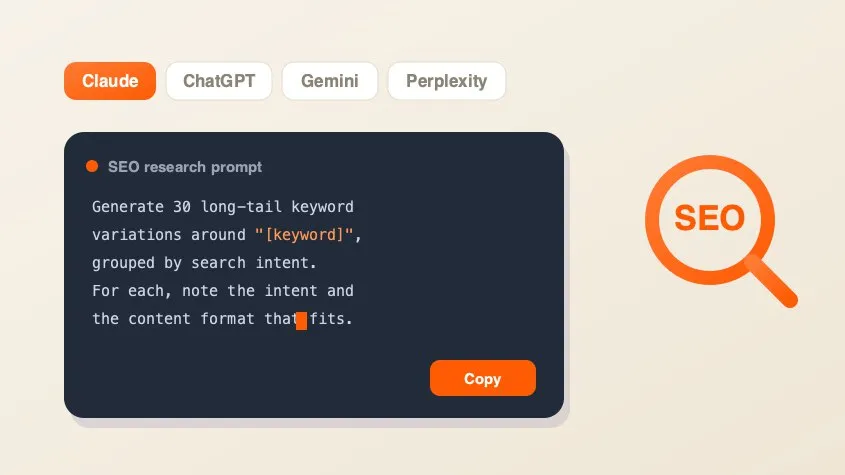
SEO AI Prompt Cheatsheet
A free library of copy-paste AI prompts for SEO research — keyword research, search intent, content briefs, competitor gaps, and metadata. Tailored for Claude, ChatGPT, Gemini, Perplexity, or Grok and filled with your keyword.
Marketing
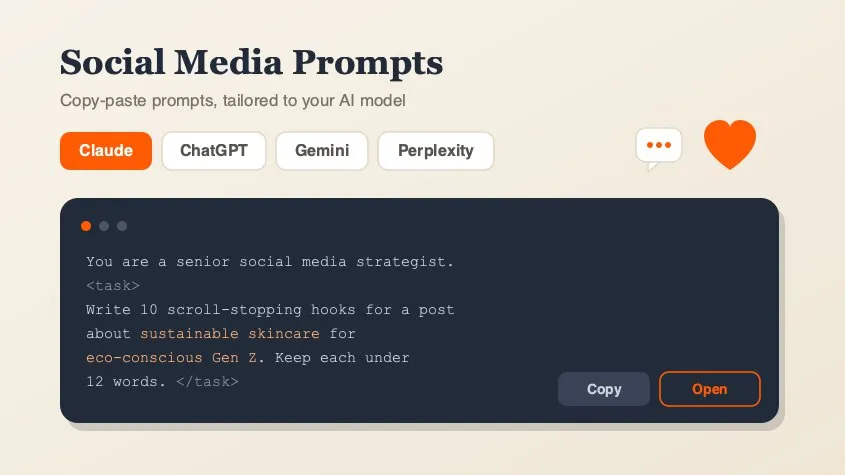
Social Media Marketing Prompt Generator
A free library of copy-paste AI prompts for social media marketing — post ideas, hooks, captions, hashtags, platform playbooks, content calendars, ad copy, analytics, and workflow loops. Tailored for Claude, ChatGPT, Gemini, Perplexity, or Grok and filled with your topic. Open any prompt in your AI tool in one click.

Design
QR Code Generator
Generate clean, scannable SVG QR codes from any URL or text. Add a logo, customize colors, eyes, and module shape, then download as SVG or PNG.